


Study until it sticks,
not until you are tired.
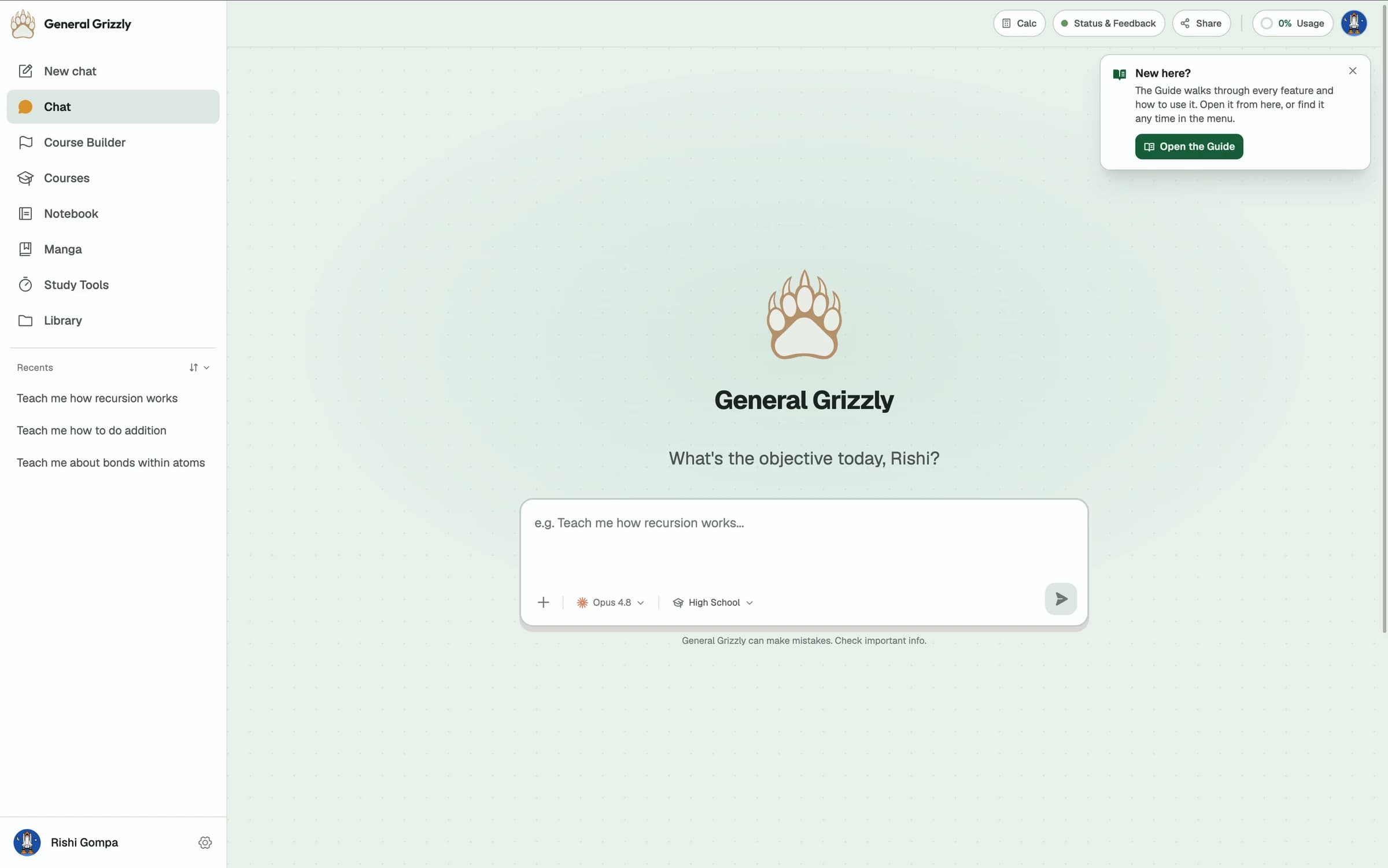
General Grizzly teaches a concept at your grade level, shows it with real diagrams and simulations, then holds you at a quiz until you can prove it landed.
It will not let you skip ahead
Every section ends at a gate. Pass it and the next one opens; miss it and you work through what tripped you up first. Try a small one here, with a real question about motion.
Speed goes up when velocity and acceleration point the same way, and down when they point opposite ways. The sign alone does not tell you which.
Velocity is +8 m/s (east) and acceleration is −2 m/s². The object is…
What General Grizzly actually is
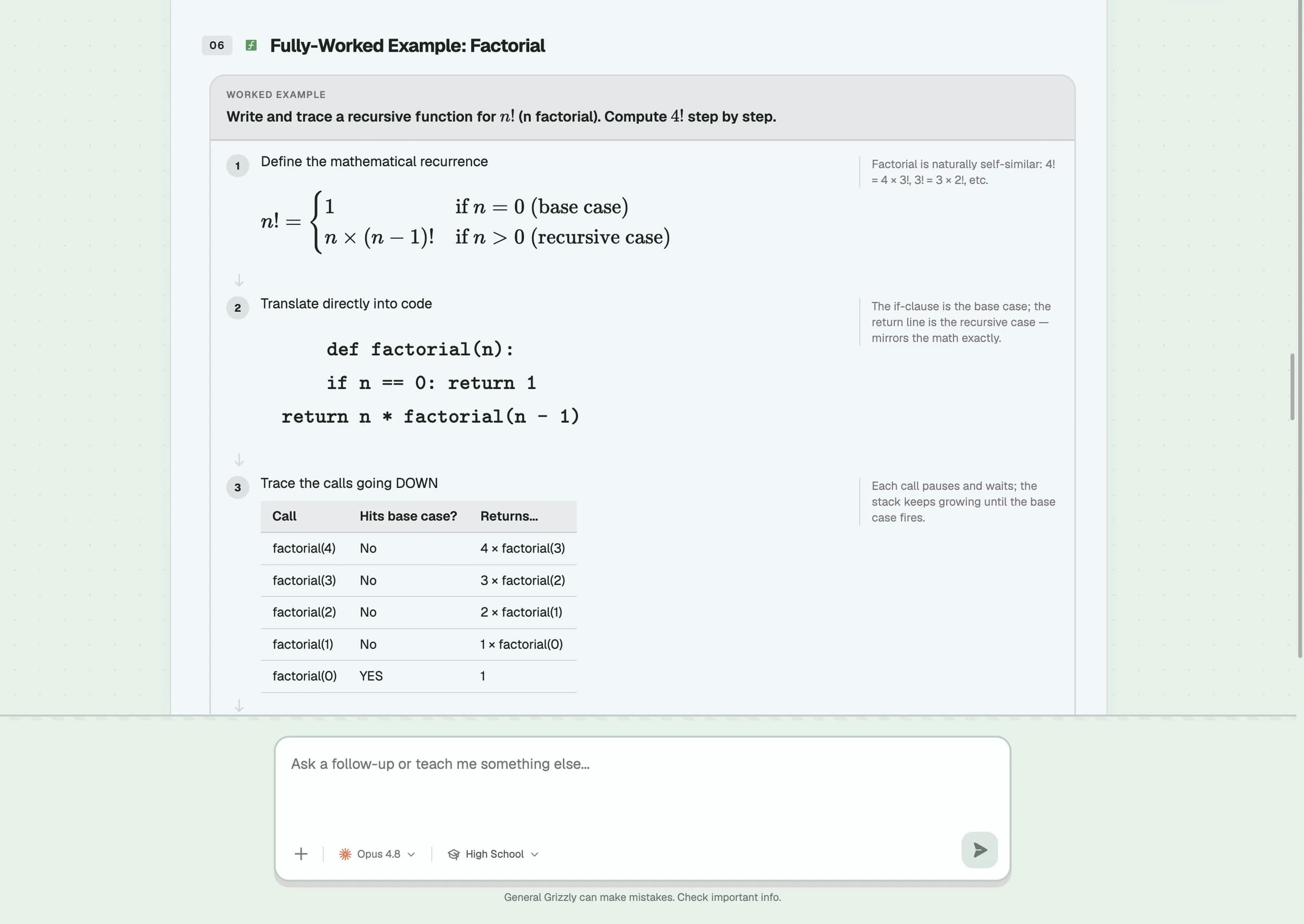
General Grizzly is AI tutoring software, an app you sign into at generalgrizzly.com or in the browser, not a person, a mascot, or a school. It teaches through structured lessons rather than open-ended chat: ask about any topic and it builds the explanation step by step, generating a simulation, a diagram, or a 3D model wherever one would teach the concept better than another paragraph would.
For a full subject, Course Builder lays the whole curriculum out as a prerequisite map and gates each concept behind a quiz, so it is structurally impossible to advance past something you have not actually understood yet, the way a course works and a chat window does not.
Everything it builds turns into something you keep: a study guide, flashcards, and a quiz you can edit afterward one card or one question at a time, scheduled for review with spaced repetition and blurting so what you learned this week is still there next month.
Every concept stays locked until its quiz is passed. Scroll here on the real page and watch it happen.
Everything a real course needs, in one place
Every tool here shares one record of what you have covered, so what you learn in a lesson is already known to your flashcards, your recall schedule, and your next quiz.
Chat tutoring
Ask the thing you are stuck on at 11pm and get taught step by step, at the depth your grade level actually needs, from Pre-K through professional. Not a generic answer you still have to decode.
Courses
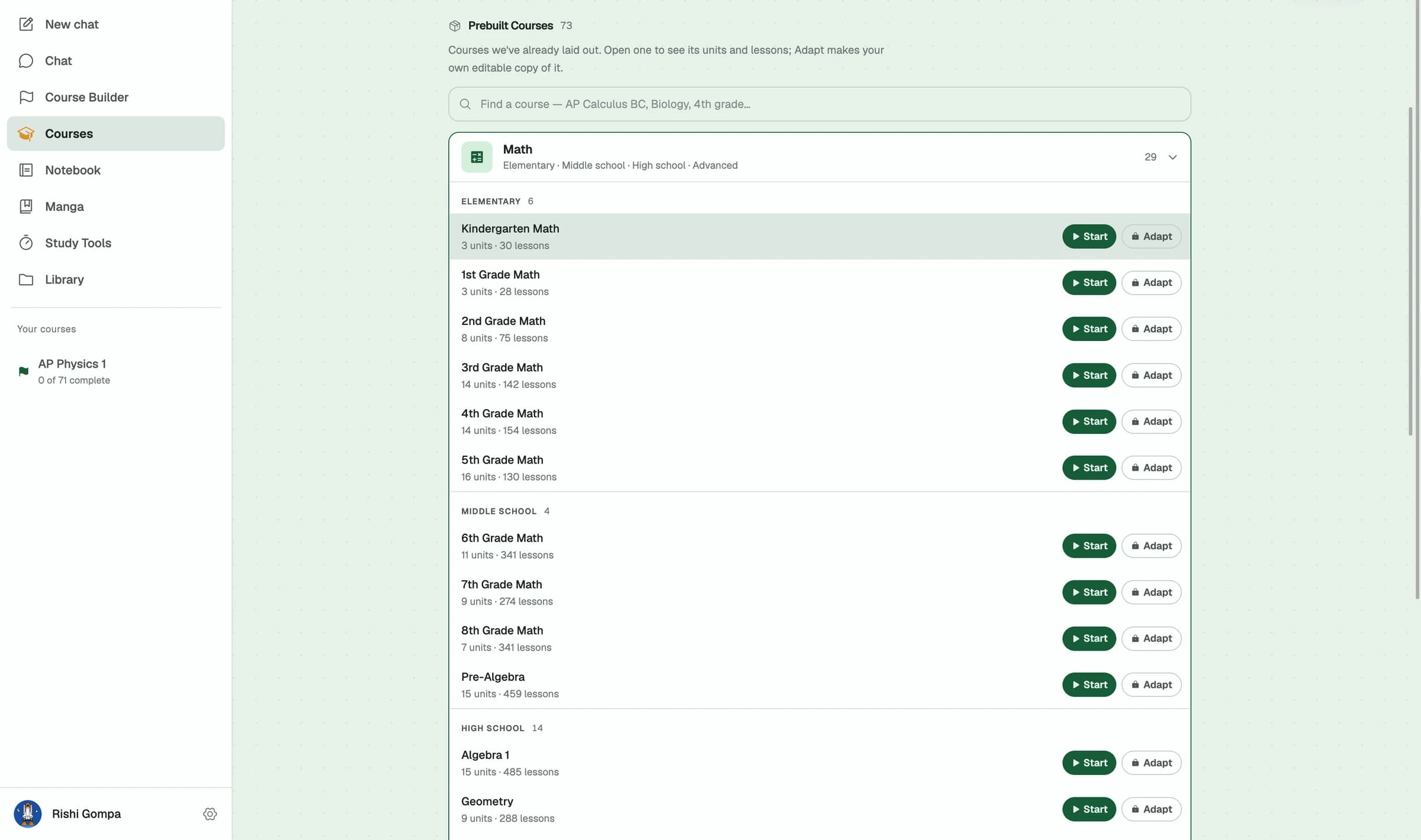
73 courses already laid out, from kindergarten maths to AP and beyond, or build your own on any topic. Units, sections and lessons, with a quiz closing every section and a test closing every unit — you unlock each section by clearing the one before it.
Build your own course
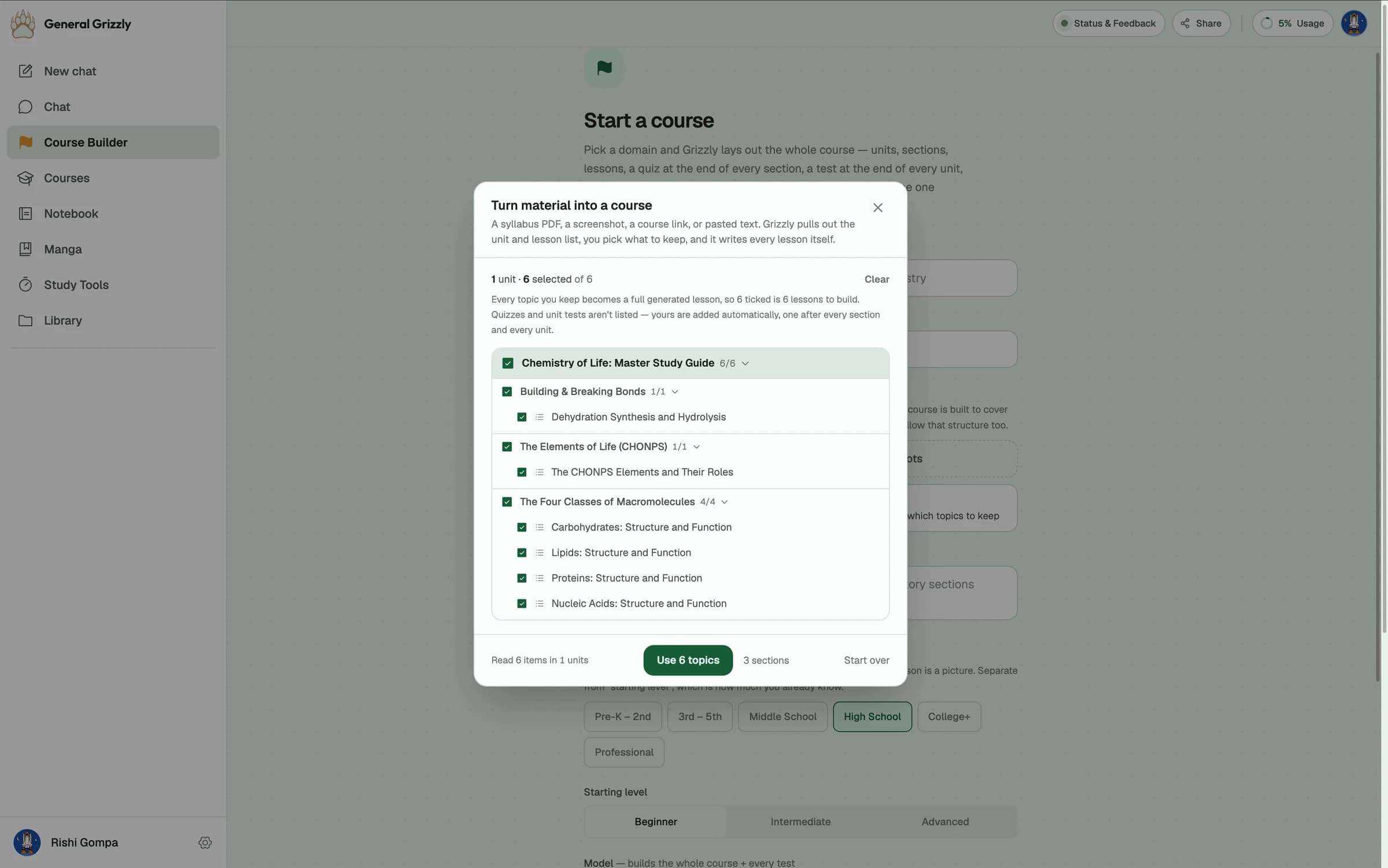
Start from any topic, or bring a syllabus you already follow as a PDF, a screenshot, a course link, or pasted text. Tick the topics you actually want, and Grizzly writes every one of those lessons itself, with the quizzes and tests a real course needs.
Study material
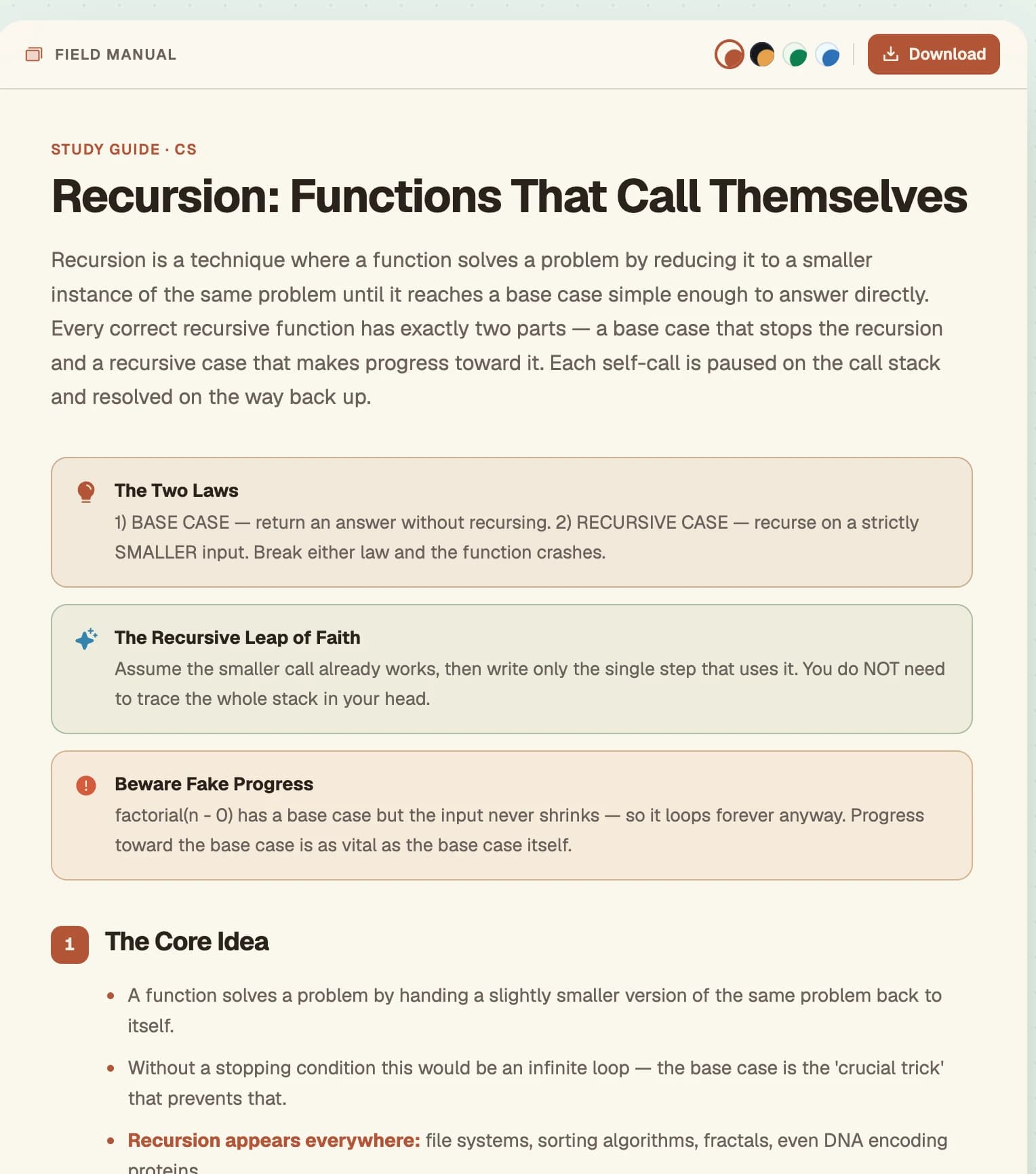
Turn any lesson, or your own documents, into a study guide, flashcards, a practice quiz, and a printable worksheet. Not static once built: ask Grizzly to edit a single card, question, or section, and everything else stays exactly as it was.
Active recall
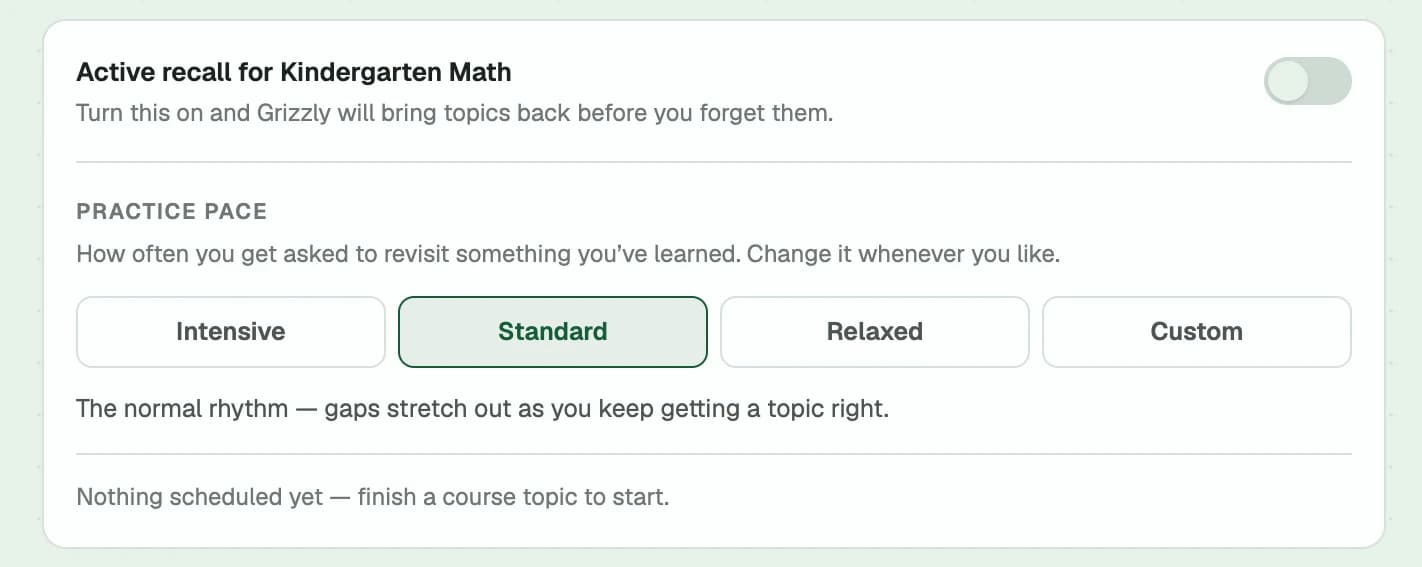
Course review reschedules itself around what you got wrong, not what you already know. Blurting goes further: no prompts, no choices — just write what you remember and Grizzly checks it against the guide.
Language manga
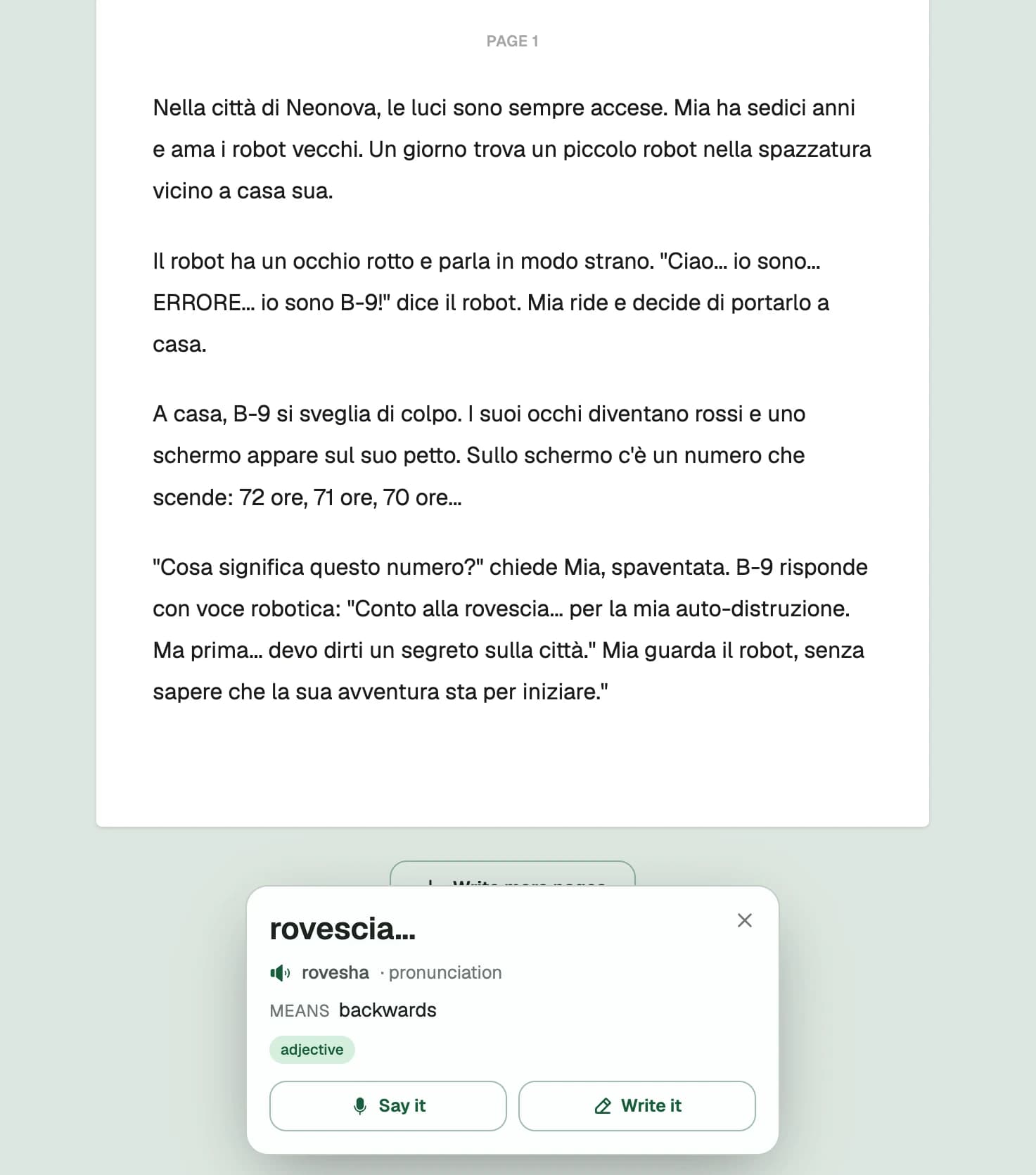
Learn vocabulary because you want to know what happens next, not by drilling flashcards. Illustrated or text only, with any word's pronunciation and meaning one tap away.
Notebook
Handwrite or type on an infinite canvas, drop in PDFs and photos, and never lose a page moving between them. Ask Grizzly about anything you have written down.
Focus timers
Pomodoro and custom sessions with themed clocks, and an alert that reaches you even when you have switched to another tab.
Your own sources
Attach PDFs, documents, links, and screenshots. Lessons and study material are then built from your material, not generic knowledge.
Progress that carries over
Your level, your history, and what you have mastered follow you between chat, courses, and study tools on every device.
The right visual for the idea, not a wall of text
Every lesson reaches for whatever actually teaches the concept. Text is what is left over once a diagram, a simulation, an illustration, or a chart would not do it better.

Simulations you run, not read about
Change the launch angle and watch the trajectory redraw live, instead of imagining what a paragraph on projectile motion is trying to describe.
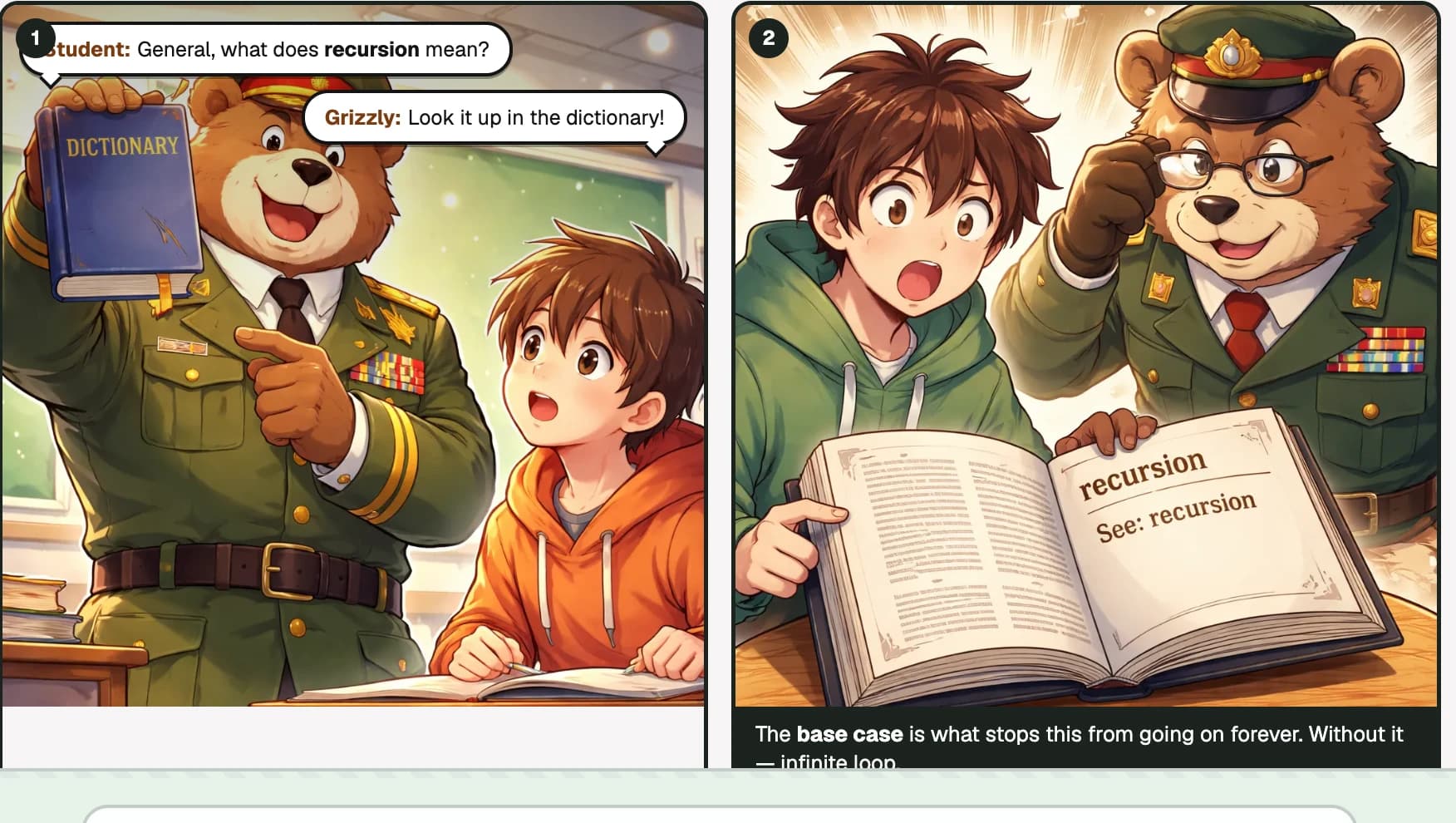
Illustrated scenes for the idea that needs one
A dictionary joke, drawn out panel by panel, because a joke about looking up “recursion” and finding “see: recursion” explains the base case better than a sentence does.
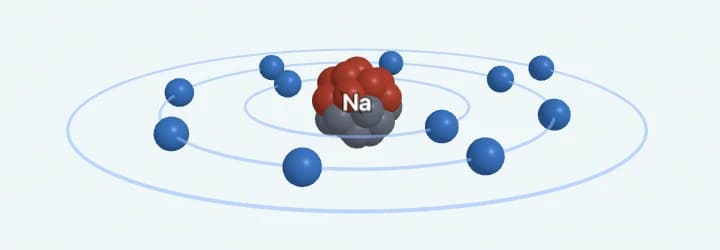
3D models you can rotate
A sodium atom's shells, spun to whatever angle shows why that one exposed outer electron makes it so reactive.
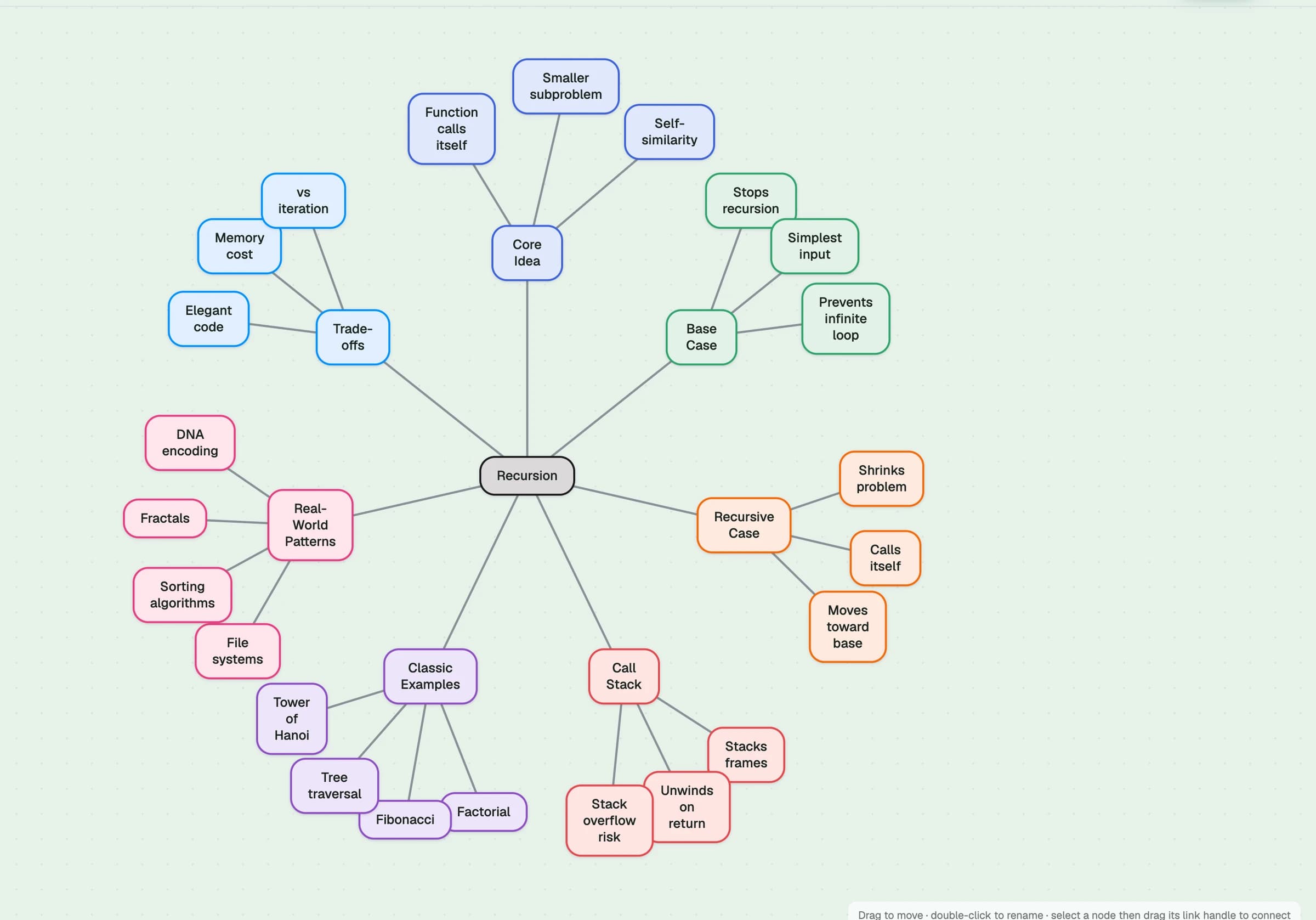
Mind maps of how ideas connect
Any lesson, turned into a map radiating out from the concept you asked about, before you drill into the flashcards.
Charts and graphs you read, not just view
A quiz question plotted on real axes, because reading a graph is a different skill than reading a number, and it only gets tested if the graph is actually there.
Concept maps for how a process flows
The water cycle as a live diagram with tokens moving stage to stage, for anything that is a process rather than a fact.
Comparison
Not a knock on ChatGPT. It is very good at the first two rows, and General Grizzly is built on the same kind of underlying models, Gemini, Claude and ChatGPT among them, to do exactly that part.
Contact & FAQ
Common questions about General Grizzly. Still need help? Reach out anytime.
What is General Grizzly?
General Grizzly is an AI study companion that teaches any subject through structured, calm tutoring: lessons, courses, study material, and active recall, all adapted to your level.
What makes this different from asking a chatbot?
A chatbot hands you the answer. General Grizzly teaches the concept, then checks that it stuck using quizzes, flashcards, and active recall. Courses go further and refuse to advance you past a concept you have not demonstrated yet.
What subjects can it help with?
Effectively any: maths, the sciences, programming, history, literature, languages, exam prep. If you can describe what you want to learn, Grizzly can build a lesson or a whole course for it.
Can it teach from my own materials?
Yes. Attach PDFs, documents, links, and screenshots as sources, and lessons and study material are built from those rather than from generic knowledge.
What age or level is it for?
Anyone from Pre-K through professional. You pick a grade level and the depth, vocabulary, and formulas all adapt to it. Younger levels drop the step-by-step structure entirely in favour of short sentences and illustrations.
Does it remember what I have already covered?
Yes. Your level, history, and mastery are saved to your account, so recall is scheduled around what you keep getting wrong and lessons build on what you have already done.
Is there a free plan?
Yes — right now everything is free. We're not accepting new subscriptions at the moment, so every model and feature is available to every account.
What do you do with my data?
Signing in with Google shares only your name, email, and profile photo, which is what saves your progress across devices. We do not sell your data. The privacy policy has the full detail.
Still have questions?
Contact Support